For over a decade, the digital ecosystem has been characterized by a distinct, often frustrating, divide: the mobile phone for immediate, on-the-go interaction, and the laptop for heavy-duty productivity. While cloud services have attempted to bridge this chasm, the friction of switching contexts—transferring files, re-authenticating accounts, and juggling different operating systems—has remained a persistent bottleneck in modern workflows.
Google, the architect of the world’s most popular mobile operating system, is now moving to dismantle this barrier. With the launch of Googlebook, a new class of computing devices, the tech giant is attempting to fuse the agility of Android with the robust, multi-window environment of traditional desktop computing. This isn’t merely a hardware refresh; it is a fundamental shift in how we interact with personal technology.
The Core Concept: Redefining the Laptop
The Googlebook platform represents the evolution of Google’s long-standing ChromeOS experiment. After more than ten years of Chromebooks serving as lightweight, browser-centric tools for education and light productivity, Googlebook is positioned as a sophisticated, high-performance platform.
The philosophy behind the project is simple: the smartphone should not be a secondary device that sits beside the computer; it should be a functional extension of the laptop. By integrating Android’s ecosystem with the desktop architecture of ChromeOS, Google aims to create a unified experience where data, intelligence, and applications flow seamlessly between a pocket-sized screen and a high-resolution laptop display.
Chronology of a Paradigm Shift
The journey toward this integration has been incremental, yet intentional:
- 2011-2016: The "Browser-as-an-OS" era. ChromeOS is established as a lightweight, secure alternative to Windows and macOS, primarily focused on web-based tasks.
- 2017-2021: The Integration Phase. Google begins bringing Android app support to Chromebooks via the Google Play Store, though the performance and optimization remain inconsistent.
- 2022-2024: The Rise of Generative AI. Google pivots its internal resources toward Gemini, testing its ability to function not just as a chatbot, but as an OS-level agent.
- September 21, 2026: The Official Unveiling. Google announces the "Googlebook" category, introducing a new hardware standard with specialized NPU chips, deep Android-to-PC connectivity, and system-wide Gemini integration.
- October 2026: Rollout. Initial availability begins in the United States, with international markets following shortly after.
Technical Pillars: Features and Interconnectivity
Googlebook’s primary value proposition lies in its ability to eliminate the "friction of context." This is achieved through three major technological pillars.
Seamless Synchronization: "Continue On"
The "Continue On" feature allows users to pick up exactly where they left off. Whether it is a drafted email, a half-filled form, or a web article, the transition is instantaneous. By leveraging end-to-end encrypted tunnels between the phone and the laptop, Google ensures that credentials, Wi-Fi networks, and even clipboard data move securely across devices.
File and App Fluidity
Perhaps the most requested feature for years has been easy file management. Googlebook introduces a unified file manager that treats the smartphone’s storage as a local drive. Users can drag and drop photos or documents from their phone to their desktop without manual uploads to Drive or email attachments. Furthermore, the "Cast My Apps" feature brings mobile applications to the desktop, allowing users to interact with Android-only apps in a windowed environment, maintaining the full functionality of the mobile experience on a larger canvas.
Gemini: From Chatbot to Desktop Agent
The most transformative aspect of Googlebook is the integration of Gemini. Google is moving away from the "chatbot" model—where the user must open a specific tab to ask a question—toward an "agentic" model, where AI acts as a layer over the operating system.
- Magic Pointer: This feature uses contextual awareness. By hovering over an image, a table, or a block of text, a user can trigger Gemini to interpret that content. For instance, a user can hover over an invitation in an email, and Gemini can suggest "Add to Calendar" or "Draft a reply," effectively automating the user’s next logical step.
- Rambler: Designed for high-volume note-takers, this tool listens to voice input and dynamically structures it into professional notes, complete with headers, bullet points, and task lists, reducing the time spent on manual formatting.
- Create My Widget: Utilizing natural language processing, users can generate custom widgets for their desktop. If a user needs a dashboard to track specific project KPIs or local weather patterns, they simply describe the widget, and Gemini builds the interface on the fly.
Supporting Data and Hardware Specifications
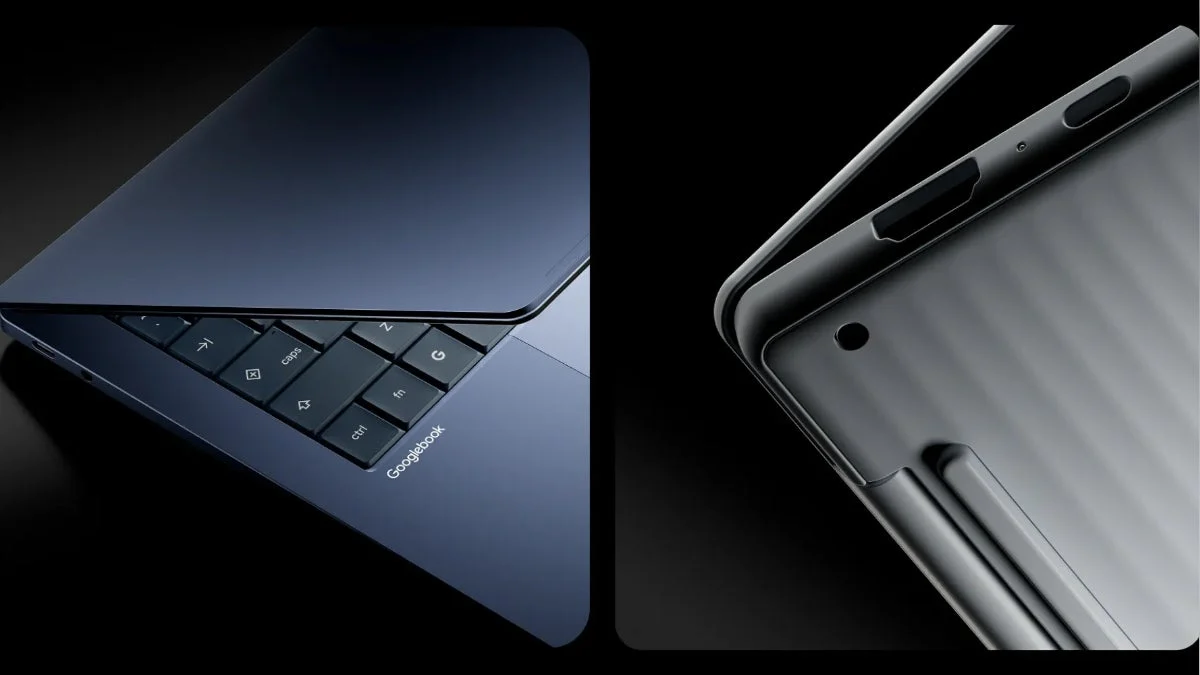
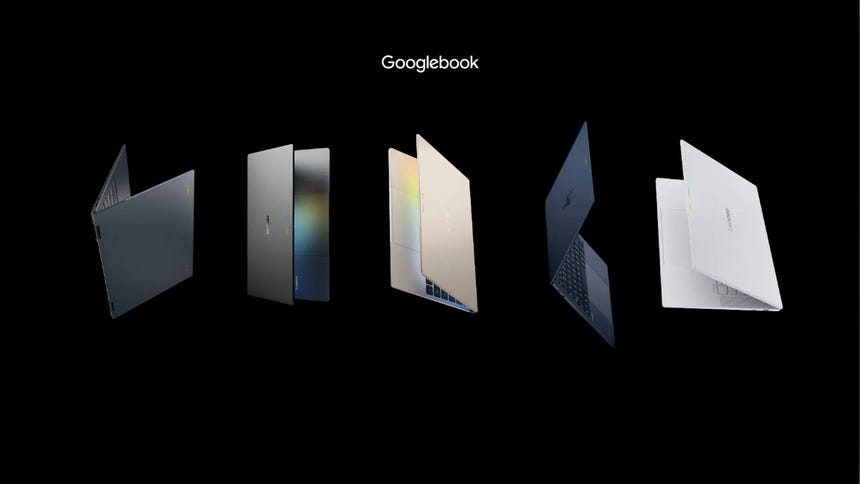
Google has partnered with major OEMs—Acer, ASUS, Dell, HP, and Lenovo—to ensure that Googlebook devices meet a high-performance standard. These are not budget laptops; they are machines built for the AI era.
- Processing Power: The inclusion of Neural Processing Units (NPUs) capable of exceeding 45 TOPS (Trillions of Operations Per Second) is a baseline requirement. This ensures that much of the AI processing happens "on-device," enhancing both privacy and speed.
- Display and Battery: Users can expect top-tier 2.8K OLED displays, designed to cater to both content creators and power users. Despite the heavy processing load, Google claims a battery life of up to 14 hours, contingent on the specific hardware configuration and power-management settings.
- Software Lifecycle: In a move to compete with the long-term support cycles of Apple, Google has committed to 10 years of OS updates for Googlebook devices, a significant improvement over previous Chromebook standards.
Industry Implications and Future Outlook
The introduction of Googlebook creates a ripple effect across the computing industry.
1. The "Walled Garden" Challenge: For years, Apple has dominated the "ecosystem" argument by keeping the iPhone and Mac tightly integrated. Googlebook is a direct challenge to this hegemony. By providing a similar, if not more open, level of integration, Google is giving Android users a reason to stick with the platform rather than migrating to the Apple ecosystem for the sake of device synergy.
2. The Future of Software Development: With the inclusion of a native Linux environment and specialized AI development tools, Google is signaling that these machines are intended for professionals. By supporting industry-standard software like the Adobe Creative Cloud and CapCut, Google is attempting to shed the "browser-only" reputation that has hindered the mass adoption of ChromeOS in creative industries.
3. Privacy and AI Governance: The success of features like "Magic Pointer" will depend entirely on user trust. Google has been careful to emphasize that these AI features require explicit user requests and can be deactivated. However, the regulatory landscape regarding on-device AI will remain a critical point of friction as these tools become more deeply embedded in the OS.
Conclusion
Googlebook is an ambitious attempt to reclaim the laptop as the center of the user’s digital life. By breaking down the barriers between the mobile experience and the desktop, and by weaving artificial intelligence into the fabric of the operating system, Google is betting that the future of computing lies not in more powerful hardware, but in better connectivity.
As these devices hit the shelves in the US and Europe, the tech world will be watching closely. If Google can deliver on the promise of a seamless, AI-enhanced workflow, it may well define the next decade of personal computing, forcing competitors to rethink their own strategies for device integration and the role of AI in the operating system. For the consumer, it offers a compelling vision: a computer that finally feels as intuitive, responsive, and intelligent as the phone in their pocket.