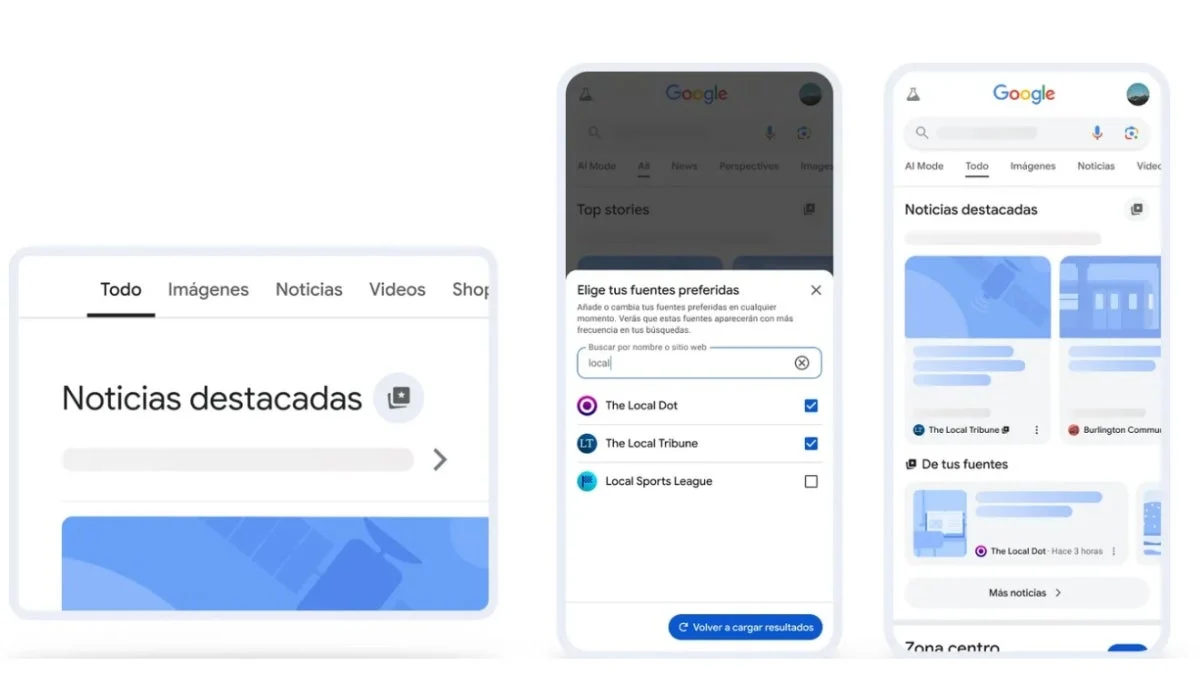
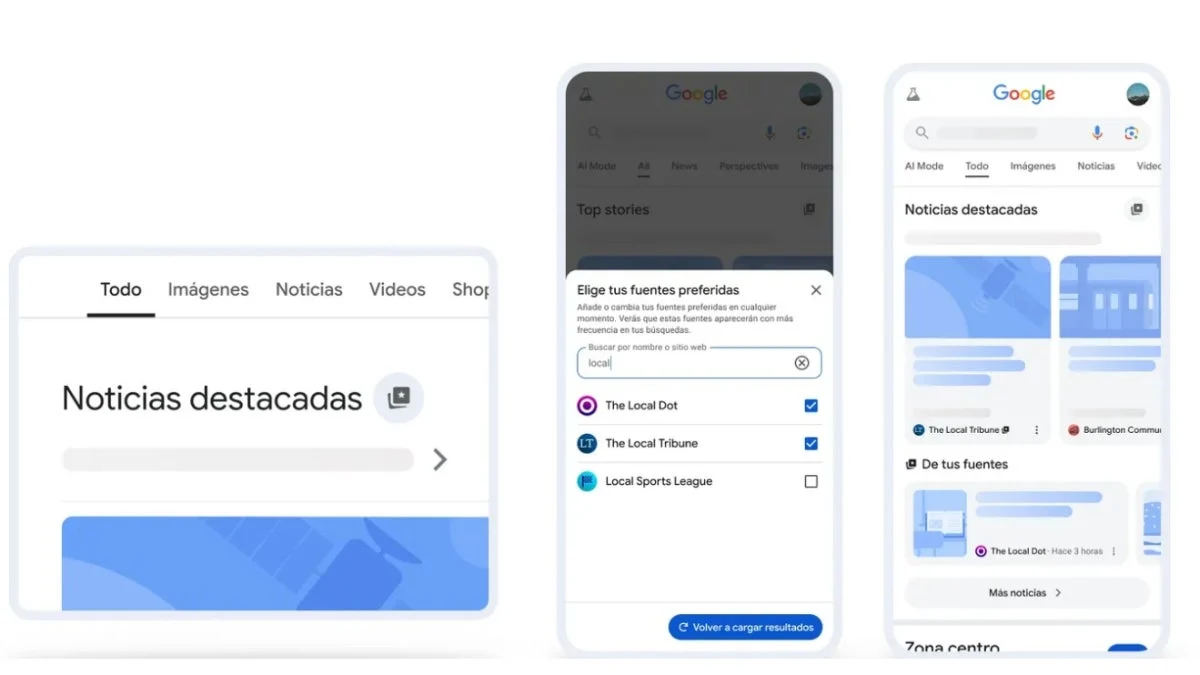
In an era defined by information overload, the ability to curate one’s own digital news environment has become a necessity rather than a luxury. Recognizing this, Google has rolled out a significant global update to its search engine architecture: the "Preferred Sources" feature. This tool empowers users across all languages to take command of their digital discovery process, ensuring that the media outlets they trust and value most are prioritized in their "Top Stories" and search results. For readers who rely on RPP for rigorous, high-quality, and timely journalism, this update offers a streamlined path to ensure our content remains at the forefront of your daily information intake.
The Evolution of Search: Understanding "Preferred Sources"
The digital landscape has shifted from a one-size-fits-all search model to a highly personalized experience. For years, Google’s algorithms have worked to predict user intent, but "Preferred Sources" shifts the power balance back to the individual. By enabling this feature, users are no longer solely dependent on the black-box mechanics of search engine optimization; they are actively informing Google about which editorial voices hold the most weight in their lives.
This functionality is designed to foster a direct connection between the consumer and the newsroom. As media consumption habits fragment across social media and aggregator apps, Google’s integration of this feature acknowledges that "trust" is a primary currency in modern journalism. When you designate RPP as a preferred source, you are effectively signaling to the algorithm that our commitment to journalistic integrity, accuracy, and depth aligns with your informational needs.
Chronology of the Update: From Beta to Global Rollout
The implementation of "Preferred Sources" did not happen overnight. It is the culmination of a multi-year strategy by Google to combat the proliferation of misinformation and the "echo chamber" effect.
- Initial Testing Phase: Throughout early 2025, Google experimented with various "Follow" buttons and publisher-specific feed controls within the Google News app and Discover interface.
- Refinement of User Feedback: Based on feedback from early adopters, Google refined the user interface to make it more intuitive, moving away from complex menu settings toward a simple "Follow" or "Prefer" toggle.
- Global Deployment: In the most recent update, this functionality was pushed to all international markets, removing language barriers and ensuring that users in Peru and around the world have the same access to source-prioritization tools.
- Integration with Core Search: The most recent iteration of this update allows these preferences to influence not just the "News" tab, but the primary Google Search result pages, providing a cohesive experience across the ecosystem.
Why Prioritize RPP in Your Digital Ecosystem?
In an age where sensationalism often eclipses substance, RPP has remained a bastion of consistent, verified reporting. Adding RPP to your list of "Preferred Sources" is a proactive step in curating a reliable news feed.
When you prioritize RPP, you are ensuring that:
- Breaking News Accuracy: During fast-moving events, you receive updates from a source that prioritizes verification over speed.
- Contextual Analysis: You get access to deep-dive reports, interviews, and investigative pieces that provide the "why" behind the "what."
- Regional and Global Balance: RPP provides a unique lens on both local Peruvian developments and their intersection with global affairs, offering a perspective that is often missing from international news aggregators.
Step-by-Step Guide: Customizing Your Google Experience
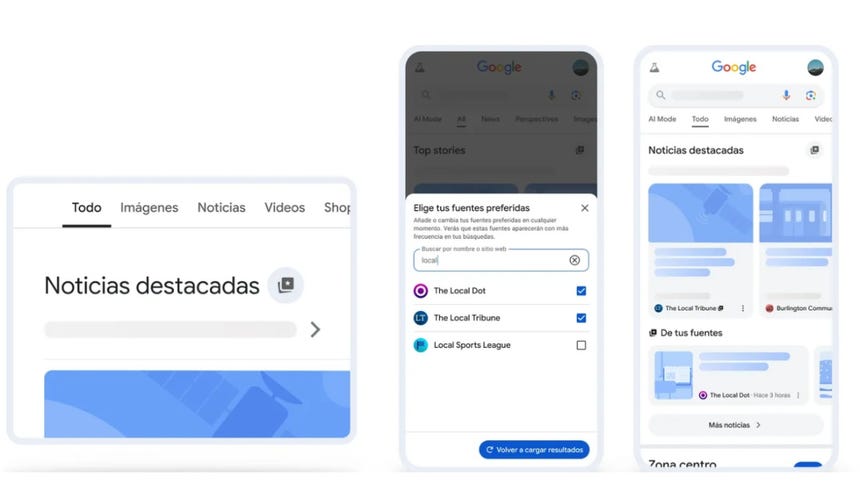
Activating RPP as a preferred source is a straightforward process that takes less than a minute. Follow these steps to optimize your feed:
1. Accessing the Source Preferences
To begin, visit the official Google News Source Preferences page. Ensure you are logged into your primary Google account, as these preferences are synced across your devices.
2. The "Follow" Mechanism
Once you are on the RPP profile page within the Google interface, look for the "Follow" button. By clicking this, you are effectively adding RPP to your curated list. You can manage this list at any time through your account settings under "Following" or "Interests."
3. Verification of Settings
To ensure the changes have taken effect, perform a search for a recent news topic. You should notice that stories from RPP appear with higher frequency or in more prominent positions within your "Top Stories" carousel. If the system is still learning your preferences, continue to interact with RPP articles, as the algorithm uses your click-through behavior to reinforce your "Preferred Sources" settings.
Beyond Search: Integrating with Google Discover
While "Preferred Sources" focuses on search results, the broader ecosystem includes Google Discover, the feed that appears on the homepage of the Google app on mobile devices. Configuring Discover to prioritize RPP ensures that the content delivered to your phone—even when you aren’t actively searching—is curated according to your preferences.
To set this up:
- Open the Google app on your Android or iOS device.
- Navigate to your profile icon and select "Settings."
- Select "Interests" and then "Followed."
- Ensure that RPP is added to your list of followed news providers.
- If you see content you don’t like, you can also use the "Not interested in this source" option to further refine the feed, allowing RPP’s high-quality reporting to occupy more "real estate" in your daily scroll.
Implications for Digital Journalism and the Reader
The shift toward user-controlled news feeds has profound implications for both the media industry and the reader. For the industry, it signals a return to brand loyalty; publishers can no longer rely solely on viral traffic. They must earn the reader’s "preference" through consistent, high-value output.
For the reader, this represents a significant shift in responsibility. By utilizing these tools, you are moving from a passive consumer of information to an active curator. This helps mitigate the risks of algorithmic bias, where the machine decides what you see based on broad, often inaccurate assumptions. By manually selecting RPP as a preferred source, you are creating a "trusted filter" that helps block out the noise and ensures that the information reaching your screen is rooted in reality and editorial rigor.
Official Stance and Future Outlook
Google has stated that the goal of these updates is to provide "transparency and agency" to the end-user. While the company continues to refine its ranking algorithms to penalize clickbait and misinformation, they have acknowledged that the human element—the reader’s preference—is the ultimate signal of quality.
As we look toward the future, it is expected that these tools will become even more sophisticated, potentially allowing for "topic-based preferences." For instance, you might one day be able to prioritize RPP specifically for political coverage or economic analysis, while setting different preferences for other categories.
For now, the ability to mark RPP as a preferred source is the most powerful tool in your arsenal to ensure that you remain informed, connected, and empowered by the news that matters most to you. We encourage all our readers to take these simple steps today to ensure that our commitment to quality journalism remains a constant in your digital life.
Join the conversation and keep your feed informed—add RPP to your Google Preferred Sources today.